Roundups and Guides
Best apps to save recipes from TikTok in 2026

Favorites saves the video, not the recipe. These 5 apps pull ingredients and steps out of a TikTok link, and they differ more than their app store screenshots suggest.
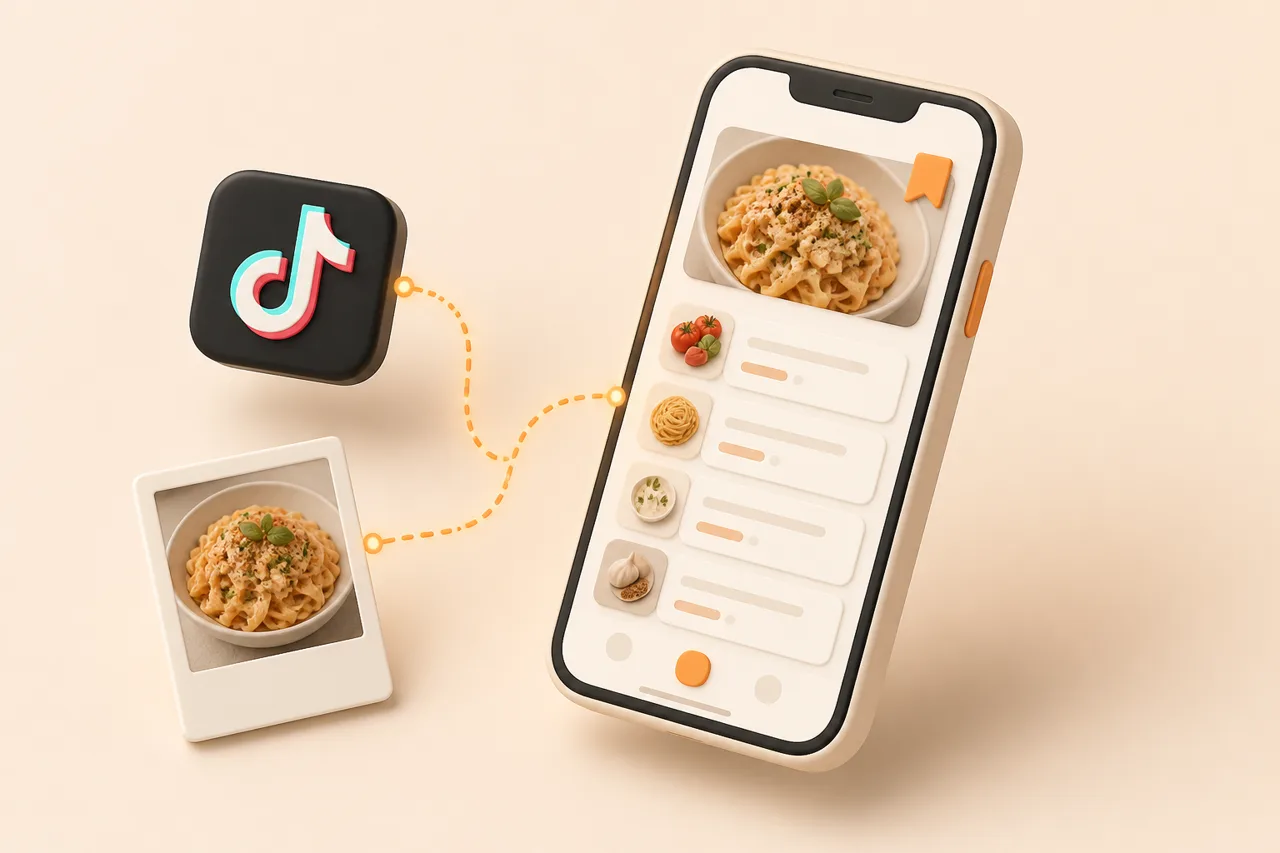
ReciBites is the app to try first if you save recipes from TikTok, because it reads the caption, the burned-in text and the spoken audio together and hands back an ingredient list you can shop from. Every app below can accept a TikTok link; the difference is how much of the recipe survives the trip.
The 5 apps here are judged on extraction quality, what the library does once the recipe lands, and cost. Each entry names who it suits and where it gives up ground.
What is the best app to save recipes from TikTok in 2026?
The best app to save recipes from TikTok in 2026 is ReciBites, because it treats video as a primary source rather than a bookmark and puts the result in the same library as your web and paper recipes. ReciMe is the closest alternative if social video is genuinely all you save.
After those 2, the choice turns on ecosystem and budget. Umami suits people who want a beautiful private cookbook, Pestle suits all-Apple households that also clip blogs, and Samsung Food suits anyone who refuses to pay anything.
| App | Best for | TikTok extraction | After the save | Pricing |
|---|---|---|---|---|
| ReciBites | Video, web and paper in one library | Caption, on-screen text and audio | Auto meal plans, aisle-grouped lists, diet adaptation | Free, optional Pro |
| ReciMe | Heavy social savers who share a list | A core strength of the app | Clean library and strong shared lists | About $5 a month |
| Umami | A tidy personal cookbook | Supported; check current video coverage | A well-designed library you curate | About $5 a month |
| Pestle | Apple users who mostly clip blogs | Supported, with the clipper as the strength | Excellent cook mode and scaling | About $4.99 a month |
| Samsung Food | Free saving with community discovery | Supported, varies by video | Planner, merged lists, retailer checkout | Free, paid tier for extras |
ReciBites
ReciBites is an AI recipe organiser for iOS and Android built around import breadth, and TikTok is one of its main paths in. Paste a share link and it reconciles the 3 places a creator hides information: the caption, the text overlay and the voiceover. The output is an editable recipe with quantities, ordered steps and a link back to the original post.
Core features
- Video extraction from TikTok, Instagram, YouTube and Facebook, plus Pinterest and any website URL.
- OCR imports from screenshots, photos of cookbook pages and handwritten recipe cards.
- Automatic weekly meal plans built from the recipes you actually saved.
- Grocery lists generated from the plan with duplicates merged and items grouped by aisle.
- An AI cooking assistant that adapts a saved recipe for halal, vegan, gluten-free or allergy needs.
Pros
- The widest source coverage here, so social saves and paper recipes share one search
- Reads spoken quantities that caption-only importers miss entirely
- The saved recipe survives the creator deleting the video
- Free to download, so you can benchmark it on your own backlog
Cons
- Vague amounts like a glug of oil still need a 10-second human check
- No web version, so imports and planning happen on a phone or tablet
It suits someone with 200 unwatched Favorites and a recipe box in a kitchen drawer. The standout is that a saved TikTok and a photographed index card end up in the same library and the same shopping list. Picture clearing 20 bookmarked videos in one sitting, then dropping 4 of them onto weeknights. Free to download with an optional Pro subscription, checked in 2026.
ReciMe
ReciMe was built specifically to rescue recipes from social posts, and the focus shows in how fast a saved video becomes a clean ingredient list. The head-to-head in ReciBites vs ReciMe covers the split: ReciMe optimises the save, while a wider organiser optimises the week that follows. Shared recipe and grocery lists are a real strength for households.
Core features
- Social-first import from TikTok and Instagram posts
- Structured recipes with quantities and ordered steps
- Shared recipe collections and grocery lists
- A clean library view with very little setup
- Available on both iOS and Android
Pros
- Genuinely good at the single job of turning social posts into recipes
- Sharing works well for couples and flatmates
- Fast to learn, with almost no configuration before your first import
- Cross-platform, so mixed-device households are fine
Cons
- Narrower coverage if part of your collection is on paper or in screenshots
- Fewer tools once the recipe is saved, so the week is still yours to plan
It suits a heavy social saver who wants speed over a full kitchen system. The standout is the shared list, which turns a video you found on the bus into something your partner can shop from. Say you save a curry Reel at lunchtime and it is in the household list by the evening. Expect a free tier with premium around $5 a month or roughly $30 a year, checked in 2026.
Umami
Umami is the best-looking private cookbook in this roundup, and ReciBites vs Umami frames the difference as storage against follow-through. Imports land in a calm, well-typeset library that rewards curation, which makes it pleasant to browse in a way that busier apps are not. Social import is supported, so confirm current video coverage against your own saves.
Core features
- A clean, image-led recipe library that is genuinely nice to read
- Web and social importing into a consistent recipe format
- Collections and tags for organising by hand
- Cook-friendly recipe view for use at the hob
- Free tier with paid plans for heavier use
Pros
- Design quality that makes you want to open your own collection
- Consistent formatting across imports, which keeps a big library readable
- Straightforward organising without a system to learn first
- A free tier that is enough to judge import quality
Cons
- Video coverage varies more than a video-first app's, so test before committing
- Less help with the week: planning and shopping stay largely manual
It suits a cook who wants a cookbook they are proud of rather than an automated kitchen. The standout is presentation: a saved TikTok stops looking like a scraped video and starts looking like a recipe. Imagine browsing 40 saved dishes on a Sunday morning the way you would flip a cookbook. Expect a free tier with paid plans around $5 a month or about $40 a year, checked in 2026.
Pestle
Pestle is the Apple-ecosystem pick, with one of the best web clippers in the category and a cook mode that is a pleasure to use mid-recipe, as ReciBites vs Pestle sets out. Video saving is supported, but the app's centre of gravity is the open web, so it fits a collection that is mostly blogs with some TikTok on top.
Core features
- A web clipper that handles cluttered recipe sites cleanly
- A step-by-step cook mode with large, glanceable text
- Recipe scaling and sensible unit handling
- Tight integration with Apple platform conventions and sharing
- Free tier with a paid upgrade
Pros
- The clipper is among the best available for messy recipe pages
- Cook mode keeps your place without touching a greasy screen
- Design quality matters daily if you cook from a propped-up phone
- Scaling and units are handled properly rather than as an afterthought
Cons
- Apple only, which rules it out for any mixed-device household
- Video-first extraction is less central than web clipping
It suits an all-Apple cook whose saving habit is mostly blogs with a weekly TikTok. The standout is cook mode, which is the part of a recipe app you touch most and the part most apps neglect. Think of clipping a long braise on Saturday morning and cooking it from an iPad that evening. Expect a free tier with premium around $4.99 a month or roughly $30 a year, checked in 2026.
Samsung Food
Samsung Food is free, large and social, and ReciBites vs Samsung Food explains why that price tag is a real answer rather than a compromise. You can save from web and social sources, browse what other cooks collected, plan a week by dragging meals into a calendar, and in supported regions send the shopping list to a supermarket.
Core features
- Free recipe saving, planning and shopping lists with no paywall on the basics
- A mature web clipper alongside social importing
- Community collections and a discovery feed
- Retailer integrations for online ordering in supported regions
- Apps for iOS and Android plus a full web version
Pros
- Free covers planning, lists and discovery, which is rare in this category
- Saving a community recipe skips parsing entirely, so nothing goes wrong
- A web version for people who plan on a laptop
- Retailer checkout where it is supported is hard to beat
Cons
- TikTok results vary more by video than a video-first importer's do
- The social layer is noise if you only want a private recipe box
It suits a cook who wants zero cost and enjoys browsing what other people saved. The standout is that the community half removes the parsing risk: someone already cleaned the recipe up. Imagine planning 5 dinners on a laptop and never opening the phone app. Free with a paid tier offered at about $4.99 a month, checked in 2026.
How do you choose between them?
Choose by auditing your last 20 saves rather than reading feature lists. The mix of sources in that sample decides this faster than any review can, including this one.
- 1Count the sources. All TikTok, or TikTok plus blogs plus a recipe box? Import breadth is the least reversible choice you make.
- 2Check the devices. One Android phone in the house rules out Apple-only apps regardless of quality.
- 3Decide who else needs the recipes. Shared lists change the answer more than extraction quality does.
- 4Run 5 real imports. Use videos that already defeated you, including one where the amounts are only spoken.
- 5Compare price last. A free app you abandon costs more than a paid one you cook from weekly.
The manual side of this, including what a good import should capture, is in saving TikTok recipes, and the limits of extraction are measured in AI recipe extraction accuracy.
One threshold worth holding to: if an app cannot import 4 out of 5 of your test videos without a rewrite, it will not survive contact with your backlog. Extraction that needs constant correction turns saving into transcription, which is the habit you were trying to escape.
If the backlog itself is the problem rather than the tool, start with why saved recipes get lost. For a calmer design-led alternative outside this 5, see ReciBites vs Intent.
Frequently asked questions
+What is the best app to save recipes from TikTok?
ReciBites, for most people. It reads the caption, on-screen text and spoken audio into one editable recipe, and stores social saves alongside web and paper recipes.
+Can an app pull the ingredients out of a TikTok video?
Yes. Paste the share link into ReciBites or ReciMe and you get quantities and ordered steps back. Check any amount the creator only said out loud.
+Is there a free app for saving TikTok recipes?
Samsung Food is free for saving, planning and lists. ReciBites is free to download with an optional Pro subscription, and ReciMe and Umami both have free tiers.
+Do I need to download the TikTok video first?
No. Importing uses the share link, so nothing is saved to your camera roll and there is no watermark to work around.
+What happens if the creator deletes the video?
Your bookmark breaks, but an imported recipe does not. Once the ingredients and steps are stored as text, the original post no longer matters.
+Which TikTok recipe app works on Android?
ReciBites, ReciMe and Samsung Food all run on Android. Pestle is Apple only, so mixed-device households should rule it out early.
+How accurate is TikTok recipe extraction?
Reliable for ingredient names, step order and stated timings. Less reliable for vague amounts like a handful or a glug, which are worth fixing at save time.
+How much do these apps cost in 2026?
Most run near $5 a month with a free tier, and Samsung Food is largely free. Prices were checked in 2026, so verify in the app stores.
+Can saved TikTok recipes become a grocery list?
Yes. Once a recipe is structured, add it to a meal plan and ReciBites merges duplicate ingredients into one list grouped by supermarket aisle.
- #roundup
- #tiktok
- #recipe import
- #video recipes