AI and Smart Kitchen
How to scan a cookbook into an app with OCR
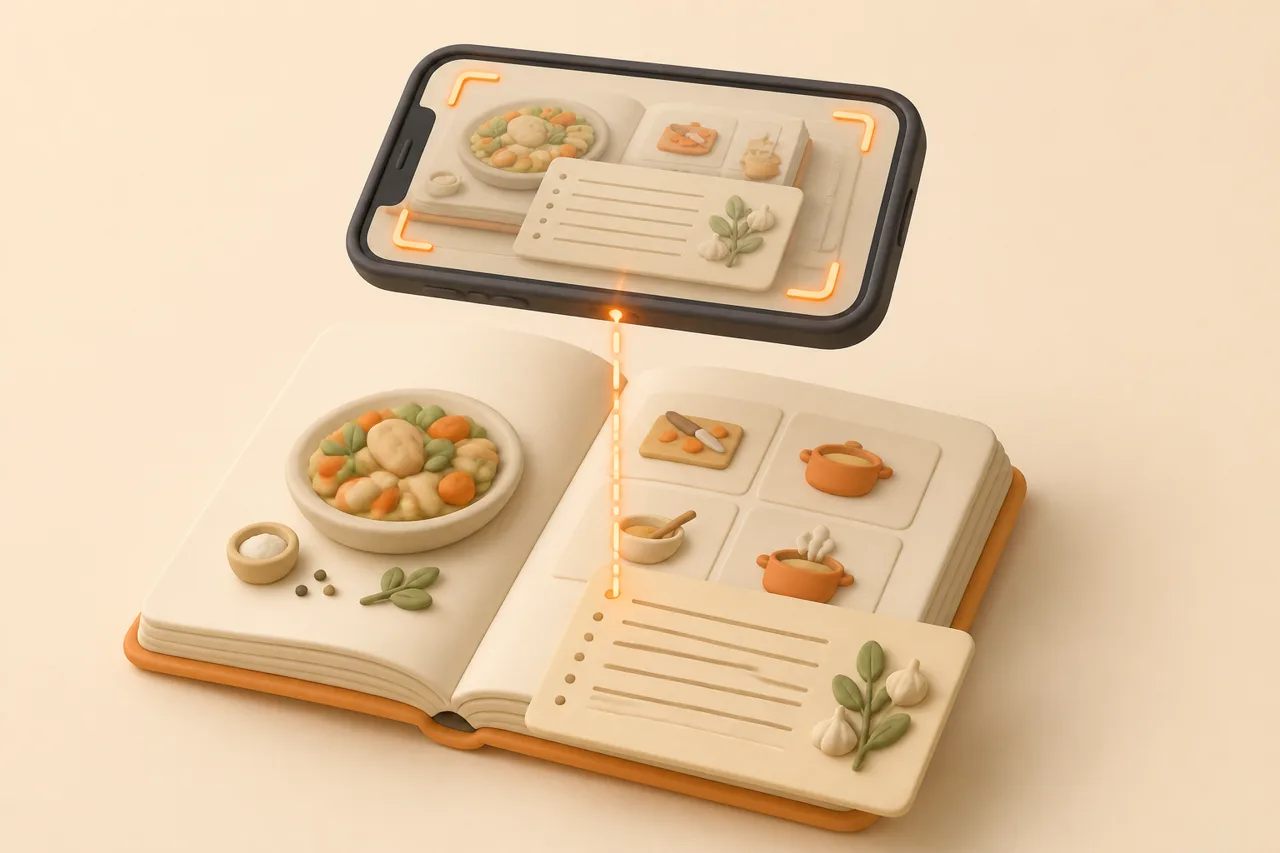
A cookbook page becomes a searchable recipe in about 30 seconds, if you photograph it properly. Here is the lighting, the page-flattening trick and the 5 things that break OCR.
The shelf of cookbooks you never open is not a discipline problem. Paper cannot be searched by ingredient, cannot be scaled to 6 servings and cannot merge itself into a grocery list, so the phone in your hand wins by default.
Scanning fixes that in about 30 seconds a page. Almost every bad result traces back to how the photo was taken, so this guide starts there and then covers the layouts that defeat even a good scan.
What does scanning a cookbook into an app mean?
Scanning a cookbook means photographing a printed page and running optical character recognition over the image so the text becomes editable data rather than pixels. A recipe app then splits that text into a title, an ingredient list with quantities, and numbered steps.
Two things happen and people conflate them. OCR reads the characters; parsing decides which characters are ingredients and which are method. A scanner app gives you the first, a recipe app gives you both, which is why a PDF of your cookbook is still not a cookable recipe.
What do you need before you start?
You need a phone camera, indirect daylight and something to hold the page flat. Nothing else improves results as much as those three, and no amount of app quality compensates for their absence.
- A window, not a ceiling light. Overhead bulbs sit behind you and throw your own shadow onto the page.
- Two heavy objects. Mugs or tins on the outer edges hold a stiff spine open without you appearing in frame.
- A matte surface. Glossy worktops bounce light back through thin paper and ghost the reverse side into the scan.
- A recipe app with OCR built in. A generic scanner produces a PDF you then have to retype.
A book stand helps if you are doing more than a handful of pages, but it is not required. What is required is a setup you can leave standing, because rebuilding the lighting for every page is why most people scan 3 recipes and give up.
How do you photograph a page so OCR reads it?
Shoot from directly above, with the page flat and filling the frame. The 5 steps below take about 20 seconds once they become habit, and they eliminate most correction work later.
- 1Flatten the page
Press the spine open and weigh both outer edges. A page curving into the spine is the single most common cause of missing words on the inner margin.
- 2Get the light behind the page, not behind you
Stand side-on to a window so daylight rakes across the paper evenly. Check the preview for your own silhouette before you shoot.
- 3Square up the camera
Hold the phone parallel to the page, not tilted. Keystoned text — wider at the bottom than the top — measurably degrades character recognition.
- 4Fill the frame with one recipe
Crop out the facing page and the worktop. A tight crop on a single recipe stops the app merging two dishes into one.
- 5Zoom in and read it back
Check the quantities specifically. If you cannot read "1½ tsp" at full zoom, neither can the OCR.
What breaks cookbook OCR?
Five layout patterns cause almost every misread, and 4 of them are fixable at the camera. Knowing which is which tells you when to reshoot and when to just correct the text.
| Problem | What you see in the result | Fix |
|---|---|---|
| Gutter shadow | First or last letters missing on the inner margin | Weigh the page flat and reshoot; correction by hand is slower |
| Two-column layouts | Ingredients and method interleaved line by line | Photograph one column at a time, or crop tightly and import twice |
| Fractions and ½ symbols | "1⁄2" read as 12, or vanishing entirely | Check every quantity; retype fractions as 0.5 or 1/2 |
| Ingredients in a sidebar | The method imports but the ingredient list is empty | Include the sidebar in the crop, then move lines into the right field |
| Decorative or script headings | Recipe title garbled or missing | Type the title yourself; it takes 3 seconds and it is what you search by |
Fractions deserve the most attention because they fail quietly. A step that reads "add 12 tsp salt" is obviously wrong; "add 1 tsp" where the book said 1½ is not, and you will never notice until the dish tastes flat.
How do you check a scanned recipe?
Check in a fixed order so you do not skim. Ninety percent of errors sit in the quantity column, so read that first and treat prose as lower risk.
- 1Every number. Quantities, oven temperature, tin size and timings, in that order.
- 2Units. Confirm tsp did not become tbsp, and that g did not become 9.
- 3Ingredient count. Count the lines against the book. A dropped line is more common than a wrong one.
- 4Step order. Confirm the numbering runs 1 to n with nothing merged.
- 5Source. Add the book title and page number so you can find the original again.
That last habit pays off years later, and it is the same discipline behind backing up your recipes. A scan with no provenance is an orphan the first time you want to check something.
How do you batch a whole cookbook?
Do not scan the whole book. Scan the recipes you have actually cooked or have flagged to cook, which for most books is between 5 and 15 pages out of 200.
Work in one sitting with the setup already built. Flag pages with sticky notes first, then shoot every flagged page back to back without stopping to edit, then do all the corrections afterwards in the app.
- Flag, shoot, then edit. Switching between camera and keyboard is what makes this feel endless.
- Budget about 30 seconds per page for shooting and roughly a minute per page for checking.
- Tag as you go. One tag for the book and one for the dish type is enough to find things later.
- Stop at 15 pages. You can always come back; an abandoned 200-page project teaches you nothing.
The same sitting is a good moment to deal with the shoebox of cards, covered in digitising handwritten recipe cards, so the whole paper archive lands in one library.
Photos already sitting in your camera roll count as scans too. If half your backlog is phone shots of pages taken in bookshops, work through saving recipes from screenshots in the same pass rather than treating them as a separate job.
Is scanning a cookbook legal?
Scanning a cookbook you own for your own kitchen use is normal personal use, in the same category as photocopying a page to take to the shops. Nothing here is legal advice, but the line most people care about is distribution.
- Fine: scanning your own books into your own private library and cooking from them.
- Fine: keeping the author, book title and page number attached to your copy.
- Not fine: publishing scanned recipes, sharing whole books, or selling access to them.
- Grey: bulk-scanning a library book you borrowed. Buy the book if you cook from it regularly.
How does ReciBites handle cookbook pages?
ReciBites extracts recipes from photos of physical cookbook pages using OCR, then structures the result into ingredients with quantities and ordered steps you can edit. The same import path handles screenshots and handwritten cards, so paper and phone recipes land in one library.
Once a page is in, it behaves like any other recipe: scale the servings, convert measurements, drop it into a weekly meal plan, and let the grocery list merge its ingredients with everything else and group them by aisle. ReciBites is free to download with an optional Pro subscription.
Other tools weight this differently, so read Cookbook Manager compared if you are cataloguing physical books, Organizeat compared if the archive is a family one, and Paprika compared if you would rather type everything yourself.
- OCR
- Optical character recognition. Software that converts the shapes of printed letters in an image into machine-readable text.
- Gutter
- The inner margin where facing pages meet at the spine. Text curving into it is the most common source of missing words.
- Keystoning
- The trapezoid distortion you get when the camera is tilted rather than parallel to the page.
- Parsing
- The step after OCR that decides which recognised lines are ingredients, which are steps and which are headings.
Accuracy expectations for printed pages are higher than for video, and the reasons are set out in AI extraction accuracy. Printed type is consistent, well spaced and photographed at rest, which is about as easy as recognition gets.
Frequently asked questions
+How do I scan a cookbook page into a recipe app?
Weigh the page flat, shoot from directly above in daylight with the recipe filling the frame, then import the photo into an app with OCR such as ReciBites and check the quantities.
+Can an app read a photo of a recipe?
Yes. OCR converts the printed characters into text and the app parses them into ingredients and steps. Printed pages read far more reliably than handwriting or video captions.
+Why is my cookbook scan missing words?
Usually gutter shadow. Text curving into the spine loses its first or last letters. Weigh both page edges flat and reshoot rather than correcting line by line.
+How do I scan a two-column recipe?
Photograph each column separately and import them as one recipe, or crop tightly to the ingredient column first. Single wide shots often interleave ingredients with method lines.
+Does OCR read fractions correctly?
Not reliably. Typeset fractions such as ½ are often dropped or read as two digits. Check every quantity and retype fractions as 1/2 or 0.5.
+Is it legal to scan a cookbook I own?
Scanning a book you own for your own kitchen use is ordinary personal use. Publishing, sharing or selling scanned recipes is not. This is general guidance, not legal advice.
+How long does it take to scan a whole cookbook?
Do not scan the whole book. Flag the 5 to 15 recipes you actually cook and budget roughly 30 seconds to shoot each page plus a minute to check it.
+Do I need a flatbed scanner for cookbooks?
No. A phone camera in even daylight matches a flatbed for OCR purposes, and it does not require pressing a hardback spine onto glass.
+Can I scale a scanned cookbook recipe?
Yes, once quantities are structured fields rather than an image. Scaling, unit conversion and grocery merging all depend on that parsing step, not on the scan itself.
- #ocr
- #cookbook
- #scanning
- #recipe import